Owned product
Turning stubborn PDFs into a guided workflow.
A PDF can look perfectly normal and still give you nowhere to type. PDFSight finds what the page is asking for, turns it into a guided flow, and gives you back a completed PDF.
Live product
The problem
Some PDFs make people do the work the document should have done.
Scans, image PDFs, and flattened forms can look like ordinary paperwork while containing no fields a person can actually fill. The usual fallback is printing, manual editing, or copying the same information somewhere else.
The useful product is not a better chat box. It has to understand the page, make the hidden structure explicit, collect what is missing, and produce a file that behaves predictably at the end.
Key decision
Use AI to understand the page. Use deterministic software to construct and fill the document.
Probabilistic interpretation
-
Visual document Source geometry
-
Field schema AI interpretation
Deterministic output
-
PDF operations Deterministic software
-
Expiring artifact Preview · storage · delivery
See the workflow
From stubborn document to finished PDF.
-
Source document
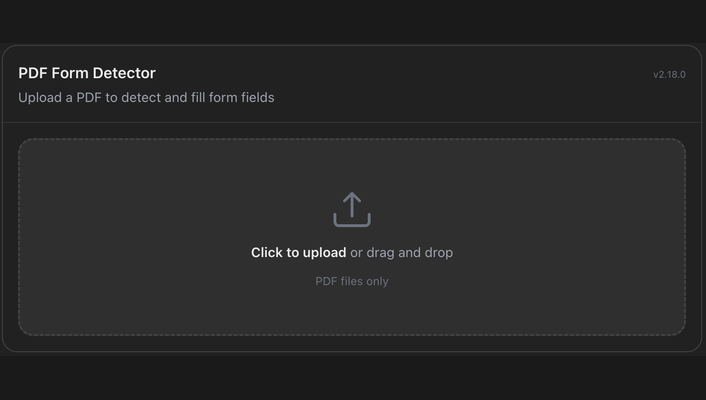
The original PDF looks like a form, but there is no useful field structure yet.
-
Detected structure
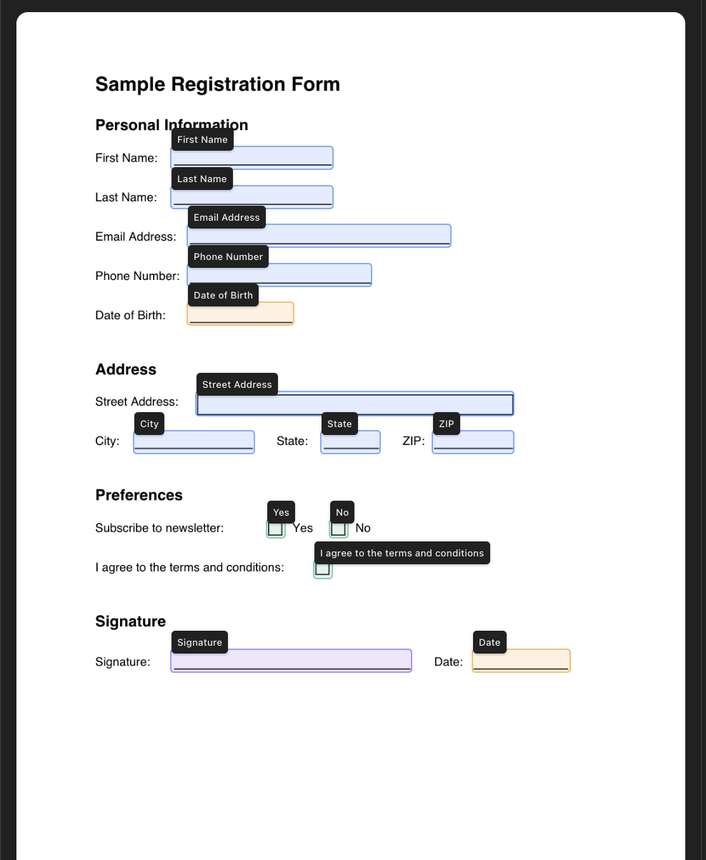
PDFSight interprets the page and turns the visible prompts into a structure the workflow can use.
-
Filled artifact
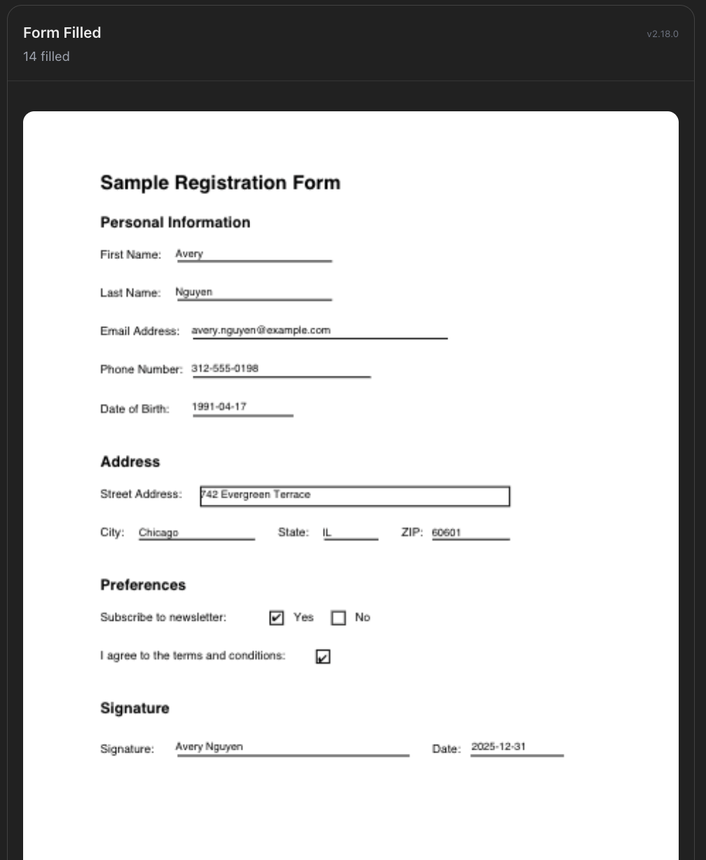
After the answers are collected, conventional PDF operations create the completed document.
Underneath
The model makes one difficult judgment. The application does the rest.
PDFSight uses AI where the input is genuinely ambiguous: understanding the visual page and turning its prompts into structured fields.
From there, the workflow moves back into explicit software. PDFSight owns the form state, guided collection, PDF construction and filling, previews, temporary artifacts, and delivery.
- Assistant surface
- PDFSight workflow + state
- AI interpretation Interpret the page
- Explicit software Structured fields
- Construct + fill the PDF
- Finished document
Where it works
The assistant is a channel. The workflow is the product.
PDFSight can meet the user through different assistant experiences while keeping the document workflow in PDFSight itself. That separation matters: the conversation can change without handing the assistant ownership of the form state or the finished file.
The current product supports its ChatGPT integration and a portable MCP Apps path for compatible hosts.
Why this matters
AI is most useful when the boundary is clear.
The interesting part of PDFSight is not that a model can look at a PDF. It is that uncertainty is concentrated in the part that needs interpretation, while state, file operations, delivery, and user control stay in software that can be inspected and tested.
That pattern travels well beyond documents. When AI earns a place in a workflow, the surrounding product still has to behave like software.
Live product